
WordPress Multisite vs Multiple Installations: Which Setup Is Right for Your Business?
WordPress multisite vs separate installs: compare cost, security, performance and maintenance to pick the right setup for your multi-site business.

The wordpress multisite vs separate installs decision shapes your maintenance workload, your security exposure and your hosting bill for years, yet most businesses make it in a single afternoon. Get it wrong and you either build a fragile network where one bad plugin takes down every site, or you drown in logins, updates and duplicated work. This guide gives you the technical facts and the strategic framework to choose correctly.
We build and maintain both architectures for US small and mid-sized businesses. The right answer depends less on how many sites you run and more on how similar those sites are, who manages them and how much isolation you need.
What WordPress Multisite Actually Is
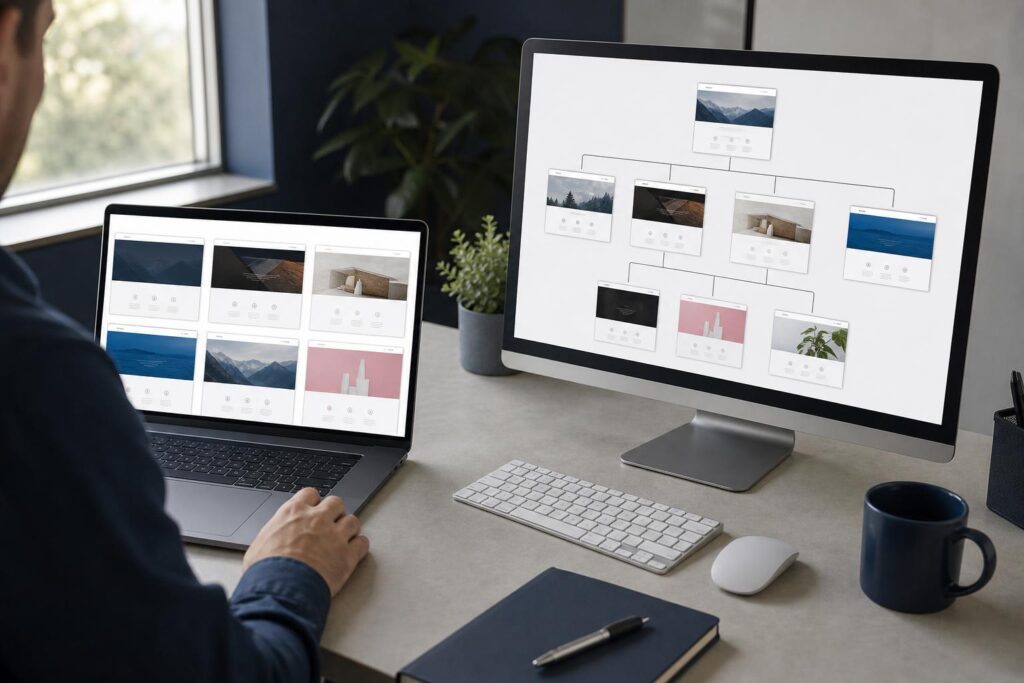
WordPress Multisite is a built-in feature that lets one WordPress installation power a network of sites. All sites share a single set of core files, one plugin directory, one theme directory and one database, with each subsite getting its own set of tables inside that database. A Super Admin manages the whole network from a central dashboard.
You enable it by adding a few lines to wp-config.php and running the Network Setup tool. You then choose between subdirectories (example.com/shop) and subdomains (shop.example.com). Domain mapping lets individual subsites use completely separate domain names, which is how most commercial networks work today.
The key mental model is this: Multisite is one application with many front ends. Updating WordPress core, a plugin or a theme happens once and applies everywhere. That is both its biggest advantage and its biggest risk, which the rest of this article unpacks. The official WordPress network documentation covers the setup mechanics in detail.
What Separate WordPress Installs Mean
Separate installs mean each website runs its own full copy of WordPress, with its own files, database, plugins, themes and admin login. Nothing is shared. A site can live on its own hosting account, its own server, or in an isolated container on shared infrastructure.
This is the default way WordPress works and the way most agencies and hosts assume it will be deployed. Every site is a self-contained unit. You can back it up, migrate it, restore it or delete it without touching anything else.
The tradeoff is repetition. Ten sites mean ten sets of core updates, ten plugin update queues, ten backup routines and ten sets of credentials. Management tools such as ManageWP, MainWP or your host’s dashboard reduce that burden, and they close much of the gap that once made Multisite the only practical way to manage multiple WordPress sites at scale.
WordPress Multisite Pros and Cons
Understanding the wordpress multisite pros and cons starts with what it does well. Central updates are the headline benefit: update a plugin once and every subsite gets it. You also store one copy of each plugin and theme, which saves disk space and simplifies licensing for sites that share premium tools.
Network-wide control is the second win. A Super Admin can enforce which plugins and themes are available, create sites in seconds and manage users across the whole network with one account system.
The advantages:
- Single update cycle for core, plugins and themes
- Fast provisioning of new sites, often under a minute
- Shared user base and centralized permissions
- Lower disk footprint and simpler licensing for shared plugins
- Consistent design when every subsite uses the same theme
The drawbacks:
- One compromised plugin or theme exposes the entire network
- A plugin conflict or fatal error can take every site offline at once
- Many plugins are not Multisite compatible and a few break outright
- Traffic spikes on one subsite consume resources shared by all
- Migrating a single subsite out of the network is slow and error-prone
The shared-fate problem deserves emphasis. In a network, your sites succeed and fail together. That is acceptable when they are near-identical; it is dangerous when they are not.
Separate Installs: Strengths and Weaknesses
Separate installs win on isolation. A hacked blog cannot spread to your store because they share nothing. A buggy update on one site cannot cascade. Each property can run a different PHP version, a different plugin stack and a different hosting plan sized to its actual traffic.
Flexibility is the second strength. A WooCommerce store, a membership site and a simple brochure site have wildly different needs. Separate installs let you optimize each one rather than forcing all of them into a shared compromise. If you are weighing a store build, our WooCommerce documentation reference and our guide on WooCommerce vs Shopify for small business help frame that decision.
The weaknesses are operational. Without tooling, updates and backups multiply linearly with site count. Credential sprawl becomes a real security problem. And you pay for duplicated resources, since ten installs each carry their own copy of the same plugins.
This is why a management layer is not optional once you pass about five sites. The cost is real but manageable, usually $1 to $8 per site per month for a dashboard tool.
Security and Risk: Where the Two Setups Diverge
Security is where wordpress multisite vs separate installs becomes a risk-management question. In Multisite, the attack surface is concentrated. Every subsite runs the same code, so a single vulnerable plugin is a vulnerability on all of them, and a Super Admin account compromise hands over the entire network.
Separate installs contain the damage. If one site is breached, the attacker has no automatic path to the others, provided they sit in separate hosting accounts with separate credentials. Containment is the single strongest argument for isolation, especially for sites that handle payments or personal data.
That said, Multisite is not inherently insecure. A tightly controlled network with a short list of vetted plugins, strict Super Admin hygiene and two-factor authentication can be very safe. The danger is in networks that allow subsite admins to install whatever they like.
If a site on any setup does get compromised, speed matters. Our walkthrough on what to do when your site gets hacked lays out the recovery steps. As a rule, the more your sites differ in sensitivity, the more you should lean toward isolation.
Performance, Hosting and Scalability
On performance, the two setups behave differently under load. Multisite shares one database and one PHP environment across all subsites. A large network can produce a bloated database, since options and meta tables accumulate, and a busy subsite can starve its neighbors of CPU and memory.
Separate installs scale independently. You can put your highest-traffic site on a dedicated server or a managed WordPress plan while keeping low-traffic sites on cheap shared hosting. You scale the pieces that need it rather than the whole stack.
Caching and CDN setup also differ. With Multisite, object caching and page caching must be network-aware, and misconfiguration can leak content between sites. With separate installs, each site’s cache is naturally isolated and easier to debug.
For Core Web Vitals, neither architecture is automatically faster. Speed comes from clean code, good hosting and image discipline, covered in our technical SEO audit checklist. Performance only favors Multisite when you have dozens of lightweight, similar sites and want to avoid duplicated overhead.

Cost Comparison: Build, Hosting and Maintenance
Cost is where many businesses expect Multisite to win, and the reality is more nuanced. Multisite lowers the marginal cost of adding site number 11 or 50. It rarely lowers the cost of sites one through five, and it raises the cost of mistakes.
| Cost Factor | WordPress Multisite | Separate Installs |
|---|---|---|
| Initial build (3 sites) | $3,500 to $9,000 | $4,500 to $10,000 |
| Adding a new site | Low, often under $500 | $1,500 to $5,000 |
| Hosting | One larger plan, $40 to $300/mo | Multiple plans, $15 to $60 each |
| Update labor | One cycle, low | Per site, reduced with tools |
| Cost of a major failure | High, all sites affected | Contained to one site |
| Exit or migration cost | High | Low |
The figures above reflect typical US small-business projects. Our broader pricing guide, how much a website costs in 2026, breaks down the build side in more depth.
The hidden line is the exit cost. Moving a subsite out of a network later can run $1,000 to $3,000 per site, which is why the initial choice matters more than the initial price.
When Multisite Is the Right Choice
Choose Multisite when your sites are structurally similar, managed by one team and expected to grow in number. The clearest fits are franchises with a standard template, a university or school network, regional or location-based sites for one brand, and agencies running many near-identical microsites.
A practical test: if you can answer yes to most of these, Multisite is a strong candidate.
- Do all sites use the same theme or a small family of child themes?
- Do all sites use roughly the same plugins?
- Is one team responsible for every site?
- Will you add many more sites, say 10 or more, over time?
- Is brand consistency more important than per-site customization?
- Are the sites of similar traffic and security sensitivity?
Example: a US dental group with 14 locations, each needing a location page set, a staff directory and a booking form, is a near-perfect Multisite case. One theme, one plugin stack, one marketing team, centralized updates.
Multisite also pairs well with users who need a single login across properties, since the network user table is shared. That alone can justify the architecture for membership-style ecosystems.
When Separate Installs Win
Choose separate installs when your properties differ in purpose, technology, ownership or risk. Different brands, a store alongside a blog, a client site alongside an internal tool, or any case where one property must stay online no matter what happens to another all point toward isolation.
Separate installs are also the safer default when you are unsure. They are easier to reverse, easier to hand off and easier to sell. If you might divest one business unit or hand a site to a client, a standalone install transfers cleanly in an afternoon.
Agencies serving multiple clients should almost always use separate installs. Clients expect their own admin access, their own backups and their own accountability. Putting unrelated clients on one network creates liability if something goes wrong.
This ties into the build-approach question too. If your sites need heavy customization, our comparison of custom WordPress development vs templates will help you decide how much unique code each property really needs.
SEO Considerations for Both Architectures
The wordpress multisite vs separate installs debate has an SEO dimension that is often misunderstood. Google does not rank a site higher or lower because it runs on Multisite. What matters is how you structure domains, content and links.
Subdirectory networks (example.com/location) consolidate authority under one domain, which can help a unified brand. Subdomains and mapped domains are treated by Google as separate or semi-separate properties, so each builds authority on its own. Neither is wrong; they serve different strategies. The Google Search Central guidance on site moves is essential reading if you ever migrate between structures.
Plugin support is the practical SEO wrinkle. Some SEO plugins handle network-wide settings poorly, and sitemaps, schema and redirects need per-site configuration either way. Our Rank Math vs Yoast comparison covers how each behaves.
The real risk is duplicate content. Networks of near-identical location pages can trigger thin or duplicate content issues if each subsite is not given genuinely unique copy. Whichever architecture you choose, every property needs its own distinct content and a clear search purpose.
How to Decide: A Practical Framework
Run the decision through four filters in order. First, similarity: are the sites truly alike? If not, stop and choose separate installs. Second, risk tolerance: can your business absorb every site going down together? If not, choose separate installs.
Third, team structure: does one competent team own all the sites? If different owners or clients are involved, choose separate installs. Fourth, growth: will you add many more sites? Only if all four filters point the same way does Multisite earn its place.
A simple rule of thumb we use with clients: fewer than five sites, or any meaningful difference between them, means separate installs with a management dashboard. Ten or more near-identical sites under one owner means Multisite. The gray zone between five and ten deserves a short technical discovery call.
If you are still deciding on the underlying platform, our piece on headless WordPress vs traditional CMS covers a third architecture that sometimes beats both.
Migration and Long-Term Maintenance
Whichever you choose, plan for change. Converting separate installs into a Multisite network is straightforward when the sites are clean: you import content, remap URLs and consolidate plugins. It typically takes one to three days per site depending on complexity.
Going the other direction is harder. Extracting a subsite from a network means exporting its tables, rewriting prefixes, relocating uploads and testing every plugin. Budget more time and keep a full backup before you start.
Maintenance discipline matters more than architecture. Regardless of setup, you need tested backups, staged updates, uptime monitoring and a documented recovery plan. A network without these is a single point of failure; a set of separate sites without them is several.
If you would rather not own that burden, a managed maintenance plan removes the operational risk. Lucanix runs updates, backups and monitoring across both architectures as part of our maintenance service, so the technical choice does not become a staffing problem.
Frequently Asked Questions
Frequently Asked Questions
Is WordPress Multisite better than separate installs?
Neither is universally better. Multisite suits many similar sites managed by one team, such as franchises or location networks. Separate installs suit sites that differ in purpose, traffic or risk, and give stronger isolation and easier exits.
Does WordPress Multisite hurt SEO?
No. Google does not penalize Multisite. SEO outcomes depend on your domain structure, unique content and technical quality. The main risk is duplicate or thin content across near-identical subsites, which can happen on any architecture.
Can I convert separate WordPress sites into Multisite later?
Yes. You can import content from existing sites into a network, remap URLs and consolidate plugins. It usually takes one to three days per site. Converting back out of Multisite is harder, so decide carefully first.
Is Multisite cheaper to host than multiple installs?
Sometimes, but not always. One larger plan can cost less than many small ones, yet a large network needs a robust host. Multisite saves most when you run 10 or more similar sites and keep traffic modest.
Which is more secure, Multisite or separate installs?
Separate installs are generally safer because a breach is contained to one site. Multisite shares code across the network, so a single vulnerable plugin can expose every site. A tightly locked-down network can still be secure.
How many sites do I need before Multisite makes sense?
There is no fixed number, but Multisite typically pays off at around 10 or more near-identical sites under one owner. Below five sites, separate installs with a management dashboard are usually simpler and safer.
Work with Lucanix
Not sure whether a network or standalone sites fits your business?
Book a free consultation and we will review your properties, recommend the right architecture and send a fixed-price proposal.