How to Write Website Copy That Converts: A Practical Guide for Service Businesses
Learn how to write website copy that converts visitors into consultation bookings. A practical framework for headlines, proof, objections and CTAs.

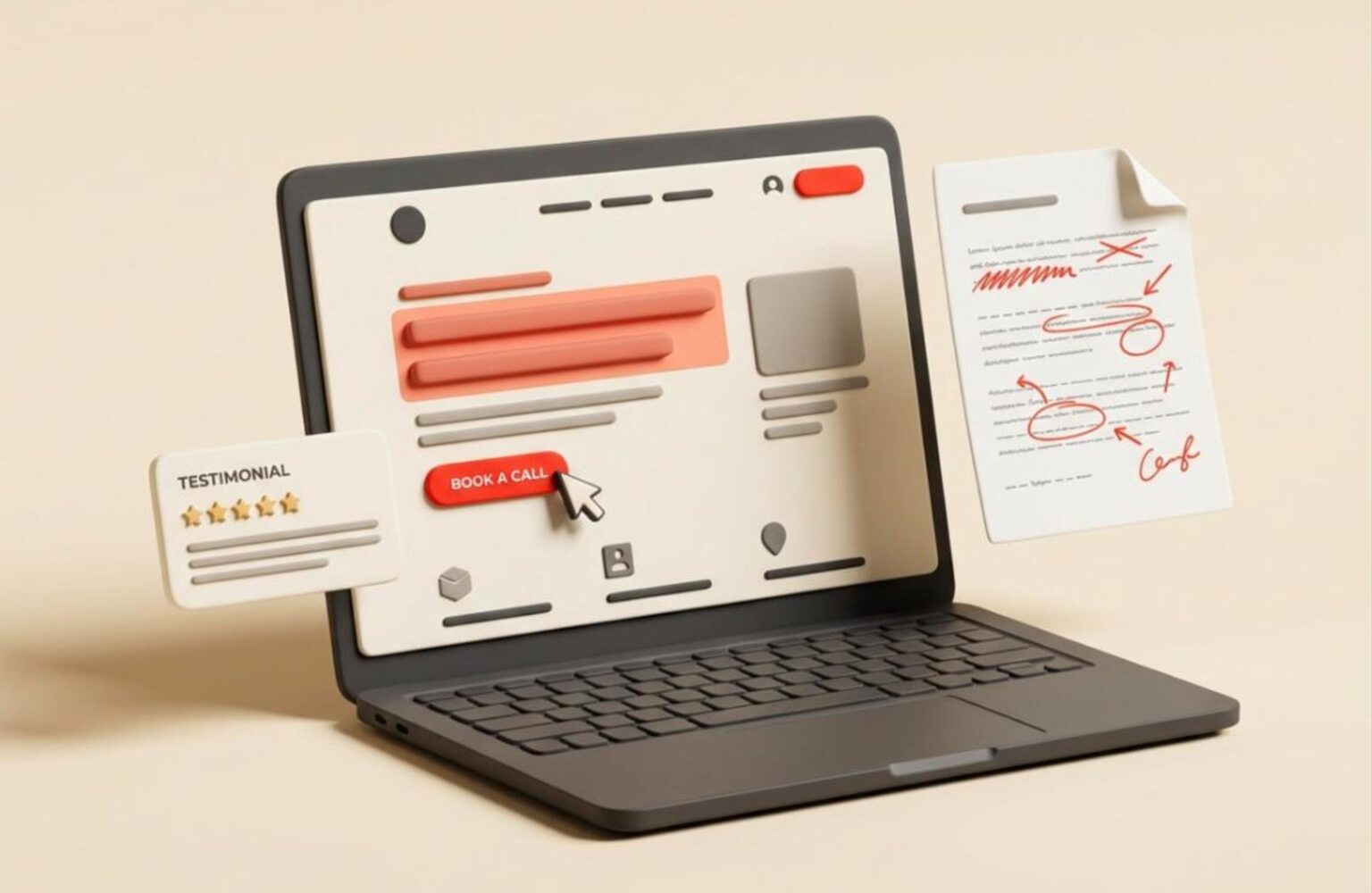
Website copy that converts does one job: it moves a specific visitor from “who are these people?” to “I should book a call” in as few steps as possible. Most service business sites fail at this because they describe the company instead of solving the visitor’s problem. The result is a polished site that generates traffic and almost no consultation bookings.
This guide gives you a repeatable framework for writing homepage, service page and landing page copy. It covers headlines, proof, objections and calls to action, with specific examples and numbers. You do not need to be a professional writer to apply it. You need to be clear about who you serve, what they fear, and what you want them to do next.
What Website Copy That Converts Actually Means
Conversion copy is not clever copy. It is copy measured by a single outcome: the percentage of visitors who take the action you want. For a service business, that action is usually a consultation booking, a quote request or a phone call.
Typical service business sites convert between 2% and 5% of visitors into leads. Sites with disciplined copy and a clear offer regularly reach 6% to 10%. That gap is rarely about design or traffic volume. It is about whether the words answer the visitor’s questions in the right order.
Every visitor arrives with four silent questions. Am I in the right place? Can you solve my problem? Can I trust you? What do I do next? Website copy that converts answers them in that sequence, on every page.
Notice what is missing from that list: your founding story, your mission statement and your list of values. Those belong lower on the page or on your About page. They are not the reason a stranger books a call.
Before writing anything, define one primary conversion per page. A page that asks the visitor to book a call, download a guide, follow on social media and subscribe to a newsletter converts none of them well. Pick one.
Start With the Reader, Not the Brand
Strong copy begins with research, not writing. Before you open a blank document, collect the actual language your customers use. The best sources are sales call recordings, email threads, review sites, and the questions prospects ask before they buy.
Run a quick voice-of-customer exercise. Pull 10 to 15 real phrases from past clients describing their problem before they hired you, and note the words they use for the outcome they wanted. Then reuse that language almost verbatim in your headlines and subheadings. Customers trust copy that sounds like their own thinking.
Then write a one-sentence positioning statement using this template:
- We help [specific audience]
- achieve [specific outcome]
- without [their biggest frustration or risk].
For example: “We help dental practices fill their appointment calendar without paying for leads that never show up.” That sentence is narrow on purpose. Narrow beats broad because specificity signals competence. “We help businesses grow online” signals nothing.
If your site serves several audiences, build separate pages for each rather than diluting one message. A page for emergency plumbers and a page for property managers should not share a headline. This also helps your local SEO strategy, because focused pages match focused searches.
Homepage Copywriting: The Five-Second Test
Homepage copywriting has the hardest job on your site, because it must orient every type of visitor in seconds. Run the five-second test: show your homepage to someone unfamiliar with your business for five seconds, then ask what you do, who it is for and what they would click next. If they cannot answer all three, the copy is failing.
The above-the-fold section needs four elements and nothing more:
- A headline that states the outcome for a specific audience.
- A subheadline of one or two sentences that explains how and removes the main doubt.
- One primary button with a specific label such as “Book a free consultation”.
- One proof element such as a client count, rating or recognisable logo row.
Below the fold, follow the visitor’s decision path. A reliable homepage order is: problem recognition, your solution in three to four short points, proof, how the process works, objection handling, and a closing call to action. Resist adding sections just because competitors have them.
Avoid vague hero headlines like “Digital solutions for the modern business” or “Where innovation meets results”. They fail the swap test: if you could paste a competitor’s logo on the page and the headline would still be true, it says nothing. Compare “Web design and SEO” with “Websites that book 20 more consultations a month for law firms”. The second one is falsifiable, which is exactly why it persuades.
Your homepage also carries a structural responsibility. Strong layouts and clear hierarchy support the words, so pair this guide with UX design principles that increase conversions for service businesses.
Writing Headlines That Earn the Next Sentence
A headline’s only job is to earn the next sentence. Most visitors read the headline and skim the rest, so the headline carries most of the weight in website copy that converts. Spend as much time on it as on the rest of the page combined.
Four headline formulas work reliably for service businesses:
- Outcome plus audience: “More booked jobs for local roofing contractors.”
- Outcome plus timeframe: “A new website live in 21 days, fixed price.”
- Outcome without the pain: “Get found on Google without hiring an in-house marketer.”
- Specific question: “Is your website losing leads to a faster competitor?”
Write at least 10 headline variations before choosing one. The first three will be generic, the next four will be better, and the last few often contain the winner. Then test them against three criteria: is it specific, is it believable, and does it speak to the reader rather than about you?
Keep headlines under 12 words where possible, and put the benefit first. Use plain words. “Get” beats “obtain”, “use” beats “leverage”, and “help” beats “facilitate”.
Subheadings do the same job for scanners. A reader who only skims your H2s and H3s should still understand your offer, your proof and your next step. If your subheadings read “Our Approach” and “Why Choose Us”, rewrite them to carry real information.
Service Page Copy That Converts Comparison Shoppers
Service pages attract people who already know what they need and are comparing providers. That makes them your highest-intent pages, and the copy should reflect it. Visitors here want specifics: what you do, how it works, what it costs, and how long it takes.
Use this structure for each service page:
- Headline naming the service and the outcome.
- Problem section in two to three sentences that mirror the visitor’s situation.
- What is included as a scannable list of deliverables.
- Process in three to five numbered steps with timeframes.
- Proof specific to this service, such as a case study or result.
- Pricing guidance or at least a starting range.
- FAQ answering the top objections.
- Call to action repeated after the process and at the bottom.
The pricing point deserves emphasis. Many service businesses hide prices because they fear scaring people off. In practice, a clear range filters out poor-fit leads and increases the quality of the ones who do enquire. If a visitor cannot afford you, you want to know before spending an hour on a call.
For example, a page that states “Websites from $1,500 to $10,000 depending on scope, with a fixed-price proposal after your free consultation” sets expectations honestly. It also reads as confident, and confidence is a conversion asset.
Use headings that match search intent so the page ranks as well as converts. If you are unsure which terms to target, a practical keyword research workflow can map the phrases buyers actually use.
Work with Lucanix
Want your service pages rewritten to book more calls?
Lucanix writes and builds conversion-focused service pages for small businesses. Book a free consultation and we will review your current copy.
Landing Page Copy: One Page, One Promise
Landing page copy follows different rules from homepage copy, because a landing page has a single purpose and usually a single traffic source. Remove the main navigation, cut every outbound link, and make the page do one thing. Removing navigation alone often lifts conversion rates because it eliminates exits.
The first rule is message match. If your ad says “Free SEO audit for dentists”, the landing page headline must say the same thing, not “Welcome to our agency”. A mismatch makes visitors doubt they are in the right place, and they leave within seconds.
A tight landing page includes:
- A headline that repeats the promise from the ad or link.
- Three to five benefit bullets written as outcomes, not features.
- One testimonial or proof block close to the form.
- A short form asking only what you need to start the conversation.
- A single button with a specific label.
Form length matters. Every extra field costs submissions, so ask for name, email and one qualifying question at most. You can collect the rest on the call itself.
Keep landing pages short when the offer is simple and low commitment, and longer when the offer is expensive or unfamiliar. A free consultation can convert on a short page. A $10,000 project needs more proof, more detail and more objection handling before the visitor feels safe.
Proof: The Fastest Way to Build Trust
Claims without evidence are just advertising. Visitors have seen thousands of sites promising results, so proof is what separates website copy that converts from copy that merely sounds confident. Place proof close to every claim and every call to action.
The strongest proof types, roughly in order of persuasive power, are:
- Specific results: “Cut load time from 5.2 seconds to 1.4 seconds and lifted enquiries by 38%.”
- Named testimonials with a full name, role and company, ideally with a photo.
- Case studies that show the problem, the work and the measurable outcome. See our own case study page for the format.
- Third-party validation such as review platforms, certifications and press mentions.
- Volume signals such as years in business, projects delivered or clients served.
Specificity is what makes proof believable. “Great service, highly recommended” convinces nobody. “They rebuilt our site in three weeks and our quote requests doubled the next month” convinces plenty of people. Coach your clients, gently, to give testimonials that name a problem, an action and a result.
If you are early-stage with few testimonials, use what you have honestly: process transparency, guarantees, a named founder with relevant experience, or a small pilot case study. Never fabricate proof. Fake reviews damage trust and can breach advertising rules in the US, UK and Canada.
Trust also depends on credibility signals beyond words. For B2B buyers especially, B2B website best practices show how to combine proof, structure and clear next steps.
Handling Objections Before They Stop the Sale
Every visitor carries objections, whether or not they say them aloud. If your copy does not address them, the visitor resolves them privately, usually in favour of doing nothing. Objection handling is the most neglected part of most websites, and fixing it often produces the biggest conversion gains.
Most service businesses face the same core objections:
| Objection | What the visitor is thinking | How to answer it in copy |
|---|---|---|
| Price | “This will cost too much.” | Show ranges, payment terms and return on investment. |
| Risk | “What if it does not work?” | Offer guarantees, fixed prices and a clear scope. |
| Time | “This will take forever.” | State timelines and show the process step by step. |
| Trust | “Are they legitimate?” | Use named testimonials, case studies and real team photos. |
| Effort | “I do not have time to manage this.” | Explain what you handle and what you need from them. |
Gather your real objections from sales calls. Ask your team which three concerns come up in nearly every conversation, then write an answer to each directly into the page. An FAQ section is the cleanest place for this, and it also supports search visibility because FAQs match how people phrase questions.
Address objections in the flow of the page, not only at the bottom. Put the pricing reassurance near the pricing mention, and the risk reversal next to the button. Reducing friction right at the decision point is what moves hesitant visitors to act.
Calls to Action That Get Clicked
A call to action fails when it is vague, hidden or asks for too much commitment too soon. “Submit” and “Learn more” are the weakest labels in common use. Specific, benefit-led labels outperform them consistently: “Book my free consultation”, “Get my fixed-price quote”, “See pricing for my project”.
Follow these rules for calls to action:
- Use first-person or outcome language: “Get my audit” often beats “Get your audit”.
- Repeat the same primary call to action after each major section, not just once.
- Add a line of microcopy beneath the button to reduce anxiety, such as “Free, no obligation, reply within one business day”.
- Make the button visually distinct and keep contrast accessible.
- Offer a lower-commitment secondary option for visitors not ready to book.
That last point matters because many visitors are researching, not buying. A downloadable checklist or a short email course captures them without pressure and keeps your business in mind. Just ensure the secondary option never competes visually with the primary action.
Accessibility affects clicks more than most teams realise. Low-contrast buttons, unclear link text and poor keyboard support all cost conversions and increase legal exposure, as covered in our guide to web accessibility standards. The W3C WCAG guidelines set the benchmark for contrast, labelling and focus states.
Finally, remove friction after the click. If the button leads to a slow page, a long form or a confusing calendar, the best copy in the world will not save the conversion.
Readability, Structure and Scannability
Even strong ideas fail when the page is hard to read. Most visitors scan before they read, so structure is part of your copy. Short paragraphs, descriptive subheadings, bullet lists and generous white space let a scanner extract your offer in seconds.
Apply these formatting standards across every page. Keep paragraphs to two to four sentences. Use sentences averaging 15 to 20 words. Write at roughly a grade 7 to 8 reading level, since clear writing signals expertise rather than weakness. Lead each section with its most important point, then support it.
Cut ruthlessly in the edit. Remove adverbs, filler phrases and any sentence that does not move the reader toward the decision. If a sentence works equally well deleted, delete it. A common result of a good edit is copy that is 20% to 30% shorter and noticeably more persuasive.
Also write for how your page will be discovered. Clear headings, direct answers and well-structured sections help both search engines and AI answer engines extract and cite your content. Our overview of generative engine optimisation explains why plain, well-organised copy now has a ranking advantage.
Page speed supports readability too. A slow-loading hero section loses visitors before they read a word, so review Google’s Core Web Vitals guidance alongside your copy edits.
Testing, Measuring and Improving Your Copy
No copy is finished at launch. Treat your first version as a hypothesis, then use data to improve it. Start by recording your baseline: visitors, conversion rate for your primary action, and where visitors drop off.
Use a simple measurement stack. Google Analytics 4 tracks conversions and page behaviour. Heatmap and session recording tools such as Microsoft Clarity, which is free, show where people stop scrolling and what they ignore. Search Console shows which queries bring visitors to each page, which tells you what they expected to find.
Test one variable at a time, in this priority order:
- Headline and subheadline.
- Primary call to action label and placement.
- Proof placement and type.
- Form length.
- Page length and section order.
A caution on sample size: low-traffic sites cannot run reliable split tests quickly. If a page gets under 1,000 visitors a month, make bigger changes and compare month over month rather than chasing tiny lifts. Always give a test enough time to cover a full business cycle, usually at least two weeks.
Connect copy performance to revenue, not just clicks. A page that generates more leads but worse leads has not improved. Our guide to measuring SEO ROI shows how to tie page performance back to closed business.
Common Copywriting Mistakes to Avoid
Most underperforming service sites make the same handful of mistakes. Fixing them is usually faster and cheaper than a full redesign, which is why a copy audit belongs on any website redesign checklist.
- Talking about yourself first. Count the “we” and “our” statements against “you” and “your”. Aim for at least a 2:1 ratio in favour of the reader.
- Vague superlatives. “Best-in-class”, “world-class” and “cutting-edge” are unprovable and ignored.
- Feature lists without benefits. Every feature needs a “so that” attached to it.
- Burying the call to action. If the button is below three screens of text, many visitors never see it.
- Writing for everyone. A page aimed at all businesses persuades none of them.
- Jargon. If your customer would not say the word, do not use it.
- No proof near claims. Every promise should have evidence within a few lines.
Run a quick self-audit on your three most important pages. For each, ask whether a stranger could state your offer in five seconds, find proof within one scroll, and locate the next step without hunting. Three yeses mean the foundations are solid. Any no tells you exactly where to start editing.
Bring in outside help when the work is too important to guess at. A strategist who writes for conversion every week will usually see problems in an hour that an internal team has missed for a year.
Work with Lucanix
Ready to turn your website into a booking machine?
Lucanix combines strategy, copy and development so your site converts from day one. Book a free consultation to see where your current pages are leaking leads.
Frequently Asked Questions
What is website copy that converts?
Website copy that converts is writing designed to move a specific visitor toward one defined action, such as booking a consultation. It leads with the reader’s problem, backs claims with proof, answers objections and ends with a clear call to action. It is judged by conversion rate, not by how clever it sounds.
How long should website copy be to convert well?
Length should match the commitment you are asking for. Low-commitment offers like a free consultation can convert on a short page of 300 to 600 words. High-value services over several thousand dollars usually need 800 to 1,500 words to cover proof, process and objections. Add words only when they answer a real question.
What is the most important element of a landing page?
The headline matters most, because it decides whether the visitor keeps reading. It must match the promise that brought them to the page and state a clear, specific outcome. After the headline, proof placed near the call to action has the biggest influence on whether visitors act.
How do I write a call to action that gets clicked?
Use a specific, benefit-led label like “Book my free consultation” instead of “Submit” or “Learn more”. Place it above the fold and repeat it after each major section. Add one line of microcopy underneath, such as “No obligation, reply within one business day”, to reduce hesitation.
How often should I update my homepage copy?
Review it quarterly and make changes whenever your offer, pricing, audience or proof changes. Use analytics and heatmaps to find weak sections rather than rewriting everything at once. Test one change at a time so you know what actually moved your conversion rate.
Should I hire a copywriter or write the copy myself?
You can write a solid first draft yourself using customer language and the framework above. Hire a professional when the site carries significant revenue, when your own drafts keep underperforming, or when you lack time to test and iterate. A good copywriter pays back through higher conversion rates.
Work with Lucanix
Get website copy that converts visitors into booked calls
Book a free consultation with Lucanix, or ask for a fixed-price proposal covering strategy, copywriting and development for your service business.