AI Agents in Business: What SMBs Need to Know Before Investing in 2026
AI agents for business explained in plain English. See real SMB use cases, true costs, and a simple framework to decide if they are worth your money in 2026.

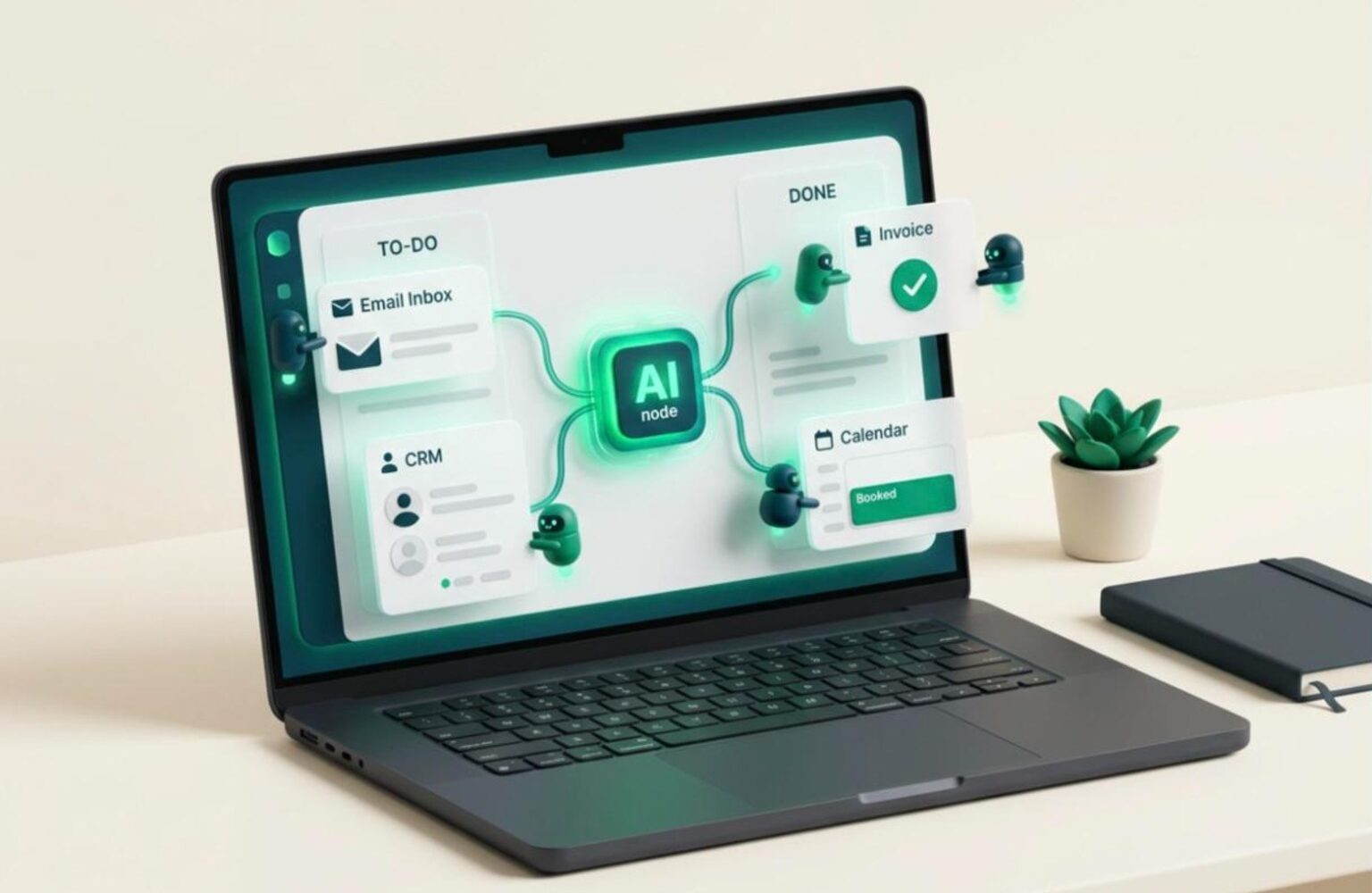
AI agents for business are software systems that take a goal, break it into steps, use tools, and complete the work with limited human input. That is the whole idea, and it is different from the chatbot you already know. A chatbot answers a question. An agent does the job: it reads the email, checks the CRM, drafts the reply, books the call, and logs the result.
The hype in 2026 is loud, and most of it is aimed at enterprise budgets. This guide is written for the owner of a 5 to 80 person company who wants straight answers. What do agents actually do well, what do they cost, where do they fail, and how do you decide whether to spend the money?
We build websites, apps, and growth systems for SMBs and startups in the US, Canada, and the UK. We see what works in production and what collapses after the demo. Here is the honest version.
What AI Agents for Business Actually Are
An AI agent has four parts: a language model that reasons, a set of tools it can call (email, calendar, CRM, database, web search), a memory of what it has done, and a goal. Give it a goal like “qualify every new lead and book a call if they fit,” and it plans the steps, calls the tools, and checks its own work.
The key difference from older automation is flexibility. A traditional workflow tool follows a fixed path: if X, then Y. An agent handles messy input. A customer writes three paragraphs with a typo-filled complaint and a refund request buried in the middle. A rule-based tool fails. An agent reads it, understands it, and responds.
The key difference from a chatbot is action. A chatbot generates text. An agent changes the state of your business: it updates a record, sends an invoice reminder, or reorders stock. That power is why agents are valuable, and also why they need guardrails.
Think of an agent as a junior employee who works fast, never sleeps, follows instructions literally, and occasionally makes confident mistakes. Manage it like one.
AI Agents vs Chatbots vs Automation: The Difference That Matters
Most vendors blur these three categories because “agent” sells better. Knowing the difference stops you from overpaying for a rebranded chatbot.
| Type | What it does | Handles messy input? | Takes action? | Typical cost |
|---|---|---|---|---|
| Rule-based automation (Zapier, Make) | Follows fixed if/then paths | No | Yes, but only preset actions | $20 to $100 per month |
| Chatbot | Answers questions in conversation | Yes | Rarely | $30 to $300 per month |
| AI agent | Plans, uses tools, completes multi-step goals | Yes | Yes, flexible actions | $200 to $2,000+ per month |
The honest takeaway: many SMB problems do not need an agent. If your process is predictable, simple automation is cheaper and more reliable. Agents earn their cost when the input is unpredictable and the task has several steps.
Ask every vendor one question: “Can it decide what to do next, or only follow a script I write?” If the answer is the script, you are buying automation with a new label. That might still be fine. Just pay automation prices.
Where AI Agents for Small Business Deliver Real Returns
The best use cases share three traits: high volume, repetitive structure, and a clear definition of “done.” Here are the five we see paying off for AI agents for small business owners.
1. Customer support triage
An agent reads incoming tickets, answers routine questions from your knowledge base, and escalates the rest with a summary. Businesses commonly resolve 40 to 60 percent of tier-one tickets without a human, which frees staff for the complex cases.
2. Lead qualification and follow-up
The agent responds to new inquiries within minutes, asks qualifying questions, checks fit against your criteria, and books qualified leads straight into a calendar. Speed matters here. A lead contacted in five minutes converts far better than one contacted the next day.
3. Invoice and payment chasing
The agent monitors overdue invoices, sends polite escalating reminders, and flags accounts that need a personal call. This directly improves cash flow, which is the lifeblood of any small company.
4. Content and SEO operations
Agents can pull keyword data, draft briefs, and update metadata at scale, with an editor approving the output. Our workflow guide on AI keyword research shows how this fits a lean team.
5. Internal reporting
An agent compiles weekly numbers from analytics, ads, and sales tools into one readable summary. It saves hours of spreadsheet work and surfaces anomalies you would otherwise miss.
Business AI Automation: What It Costs in Real Numbers
Pricing for business AI automation is the part vendors hide. Here is the full picture, split into the costs people forget.
Software and platform fees. Off-the-shelf agent tools run $50 to $500 per month for SMB tiers. Platforms that let you build custom agents sit at $200 to $2,000 per month, depending on usage.
Model usage costs. Agents call language models repeatedly, and each call costs money. A busy support agent can burn through $100 to $800 monthly in usage fees. Always ask whether usage is bundled or billed separately.
Setup and integration. Connecting an agent to your CRM, inbox, and database is where the real work lives. Custom setup typically costs $1,500 to $10,000 for a properly scoped build, in line with other development work. Cheap setup usually means brittle setup.
Ongoing oversight. Someone must review outputs, update the knowledge base, and fix edge cases. Budget 2 to 5 hours per week in the first quarter, dropping afterward.
A realistic first-year cost for a single, well-scoped agent is $5,000 to $15,000 all in. If that sounds high, compare it with the loaded cost of the hours it replaces. A part-time coordinator costs $20,000 to $35,000 a year.
The 7-Step Framework to Evaluate AI Agents for Business
Do not start with the technology. Start with the problem. This is the framework we use with clients before recommending any build.
- List your repetitive tasks. Write down every task your team repeats weekly. Include the hours spent.
- Score each task. Rate volume, predictability, and risk from 1 to 5. High volume, medium predictability, and low risk is the sweet spot.
- Define “done.” If you cannot describe a successful outcome in one sentence, an agent cannot achieve it.
- Calculate the baseline. Hours per week times hourly cost times 52. This is the number the agent must beat.
- Pilot one workflow. Run a single agent on a single process for 30 to 60 days. Never roll out across the company on day one.
- Measure against the baseline. Track time saved, error rate, and customer satisfaction. Compare honestly.
- Decide: scale, adjust, or stop. Kill pilots that miss the target. Sunk cost is not a strategy.
The same discipline applies to any marketing spend. Our guide to measuring SEO ROI uses the same baseline-first thinking.
What AI Agents Get Wrong: Risks Worth Taking Seriously
Agents fail in predictable ways. Knowing them in advance is cheaper than discovering them with a customer.
Confident errors. Language models sometimes state wrong information with total certainty. An agent quoting an incorrect refund policy to a customer creates a real liability. Ground your agent in approved documents and make it say “I’m not sure” when it lacks a source.
Runaway actions. An agent with write access can do damage fast: mass-emailing the wrong list, or deleting records. Start every agent with read-only access and a human approval step, then loosen controls gradually.
Data exposure. Connecting an agent to your inbox and CRM means a third party processes sensitive data. Check where data is stored, whether it trains vendor models, and whether the vendor meets GDPR (UK and EU) and relevant US and Canadian privacy rules. Our privacy policy shows the standard we hold ourselves to.
Security attacks. Prompt injection is a real threat: a malicious email can contain hidden instructions that hijack an agent. The OWASP Top 10 for LLM Applications is the best starting reference for understanding these risks.
None of this means avoid agents. It means treat them like any system with access to your business: limit permissions, log activity, and review it.
Build, Buy, or Hire: Choosing the Right Path
You have three routes, and the right one depends on how unique your process is.
Buy off the shelf. Best for standard problems like support triage or scheduling. Fast to start, low cost, limited customization. Choose this when your needs match what the product already does.
Configure a platform. Tools in the middle let you assemble an agent from templates and connect it to your systems. This suits teams with a technical person who can maintain it. Expect a learning curve and ongoing tinkering.
Build custom. Best when the workflow is core to how you win and no product fits. Custom builds cost more upfront but give you control over data, behavior, and integrations. They also become an asset you own rather than a subscription you rent.
A practical rule: buy for commodity tasks, build for competitive advantage. If you are unsure which category a task falls into, start with a bought tool and a 60-day pilot. The data will tell you whether to go deeper.
Whichever route you choose, write a clear brief first. The principles in our guide on briefing a development agency apply directly to scoping an agent project.
Your Website Is the Foundation AI Agents Depend On
This is the part most AI articles skip. An agent is only as good as the systems it connects to. If your website forms are broken, your CRM is a mess, and your product data is inconsistent, an agent will automate the chaos faster.
Before investing in AI agents for business, audit the basics. Do your forms capture clean data? Does your site load fast enough to convert the leads the agent will chase? Is your content accurate enough to serve as the agent’s knowledge base?
Speed is a good example. Slow pages lose visitors before any agent can respond to them, and our WordPress speed optimization guide covers the fixes that matter most. Content quality matters equally, since an agent answering from outdated pages will repeat outdated answers.
There is also a visibility angle. AI search engines now read and cite your site, which means well-structured, accurate content serves both customers and machines. We cover this in our GEO guide. The same clean content that powers your agent also earns citations in AI answers.
Fix the foundation first. Then add the agent. The reverse order wastes budget.
A Realistic Rollout Plan for the First 90 Days
Ambition kills more AI projects than caution. This timeline keeps risk low and learning high.
Days 1 to 14: Scope and prepare. Pick one workflow using the framework above. Clean the data it will touch. Write the rules the agent must follow, including what it must never do. Choose the tool or builder.
Days 15 to 30: Build and test in a sandbox. Run the agent on historical data, not live customers. Compare its outputs with what your team actually did. Fix the gaps. Expect the first version to be mediocre; that is normal.
Days 31 to 60: Supervised live pilot. Let the agent work live, but require human approval before anything customer-facing goes out. Track every correction. Each correction is a lesson that improves the setup.
Days 61 to 90: Measure and decide. Compare results with your baseline. If the agent saves time, keeps errors low, and customers do not complain, loosen approvals gradually. If not, adjust or stop.
The principle is simple: earn trust in the agent before you give it autonomy. Companies that skip the supervised phase are the ones writing apology emails to customers later.
Signs You Should Wait or Skip AI Agents for Now
Honest advice includes telling you when not to buy. Hold off if any of these describe you.
- Your process is undefined. If different team members do the task differently, fix the process before automating it.
- Volume is low. If the task takes two hours a month, the setup cost will never pay back. Do it by hand.
- Errors are expensive. Legal, medical, and financial decisions need human judgment. Use AI to assist, not to decide.
- Your data is a mess. Agents amplify bad data. Clean it first.
- You want a magic fix. No agent rescues a weak offer, a broken sales process, or a slow website.
Waiting is a legitimate strategy. The tools improve and prices fall every quarter. A business that adopts in late 2026 with a clear use case will often outperform one that rushed in early with no plan. If you are weighing whether AI threatens your own role or team, our piece on whether AI will replace your job gives a grounded view.
The goal is not to have AI. The goal is to have a business that runs better. Sometimes the best investment is a faster website, better content, or a cleaner process, and the agent comes later.
Where to Go From Here
AI agents for business are real, useful, and overhyped in equal measure. They shine on high-volume, repetitive, low-risk work with unpredictable input. They disappoint when pointed at vague problems, dirty data, or high-stakes decisions.
The winning approach is unglamorous. Pick one workflow. Measure the baseline. Pilot for 60 days with human oversight. Scale only what the numbers support. Stop what they do not. That discipline matters far more than which vendor you choose.
Government and standards bodies are also catching up. The NIST AI Risk Management Framework offers a free structure for thinking about AI risk, useful even for a ten-person company. Read it before you grant any agent access to customer data.
If you want a second opinion on whether an agent fits your business, or you need the website, content, and systems underneath it built properly, that is exactly what we do.
Frequently Asked Questions
What are AI agents for business in simple terms?
AI agents for business are software systems that take a goal, plan the steps, use tools like email and your CRM, and complete the task with limited human input. Unlike a chatbot, which only answers questions, an agent takes actions such as updating records, sending follow-ups, or booking meetings.
How much do AI agents cost for a small business?
Off-the-shelf tools run roughly $50 to $500 per month, while custom agent platforms cost $200 to $2,000 per month plus model usage fees. A properly scoped custom build typically costs $1,500 to $10,000 for setup. Plan on $5,000 to $15,000 for the first year of a single, well-defined agent.
What is the difference between an AI agent and a chatbot?
A chatbot generates conversational answers. An AI agent pursues a goal across multiple steps and takes real actions through connected tools. If a product can only reply with text and cannot change anything in your systems, it is a chatbot, regardless of what the marketing calls it.
Which business tasks are best suited to AI agents?
The best tasks are high-volume, repetitive, and low-risk with a clear definition of done. Common winners include customer support triage, lead qualification and follow-up, invoice reminders, weekly reporting, and content operations. Avoid using agents alone for legal, medical, or major financial decisions.
Are AI agents safe to connect to customer data?
They can be, with precautions. Give agents the minimum access needed, start read-only, require human approval for customer-facing actions, and log everything. Confirm where the vendor stores data, whether it is used for model training, and whether it meets GDPR and local privacy rules before connecting anything sensitive.
How long does it take to see results from an AI agent?
Plan for a 90-day cycle: two weeks to scope, two weeks to build and test, a month of supervised live use, and a final month to measure against your baseline. Many businesses see clear time savings by day 60, but only if the workflow was well defined before the build started.
Work with Lucanix
Want to Know If AI Agents Fit Your Business?
Book a free consultation and we will review your workflows, flag the high-return opportunities, and send a fixed-price proposal if a build makes sense.